Callnote Premium Video Recorder Overview
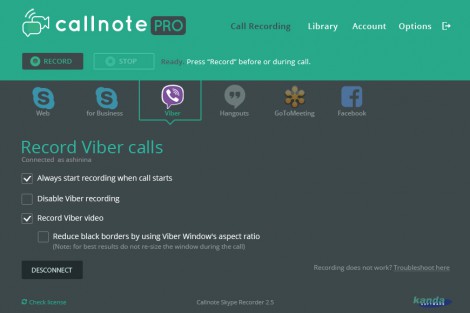
-
Record automatically
or use the record and stop buttons. -
Record shared screen
and chats from your Skype calls. -
Take instant snapshots
during your video calls. -
Manage recordings on PC
view and edit recorded chats and delete outdated call recordings. -
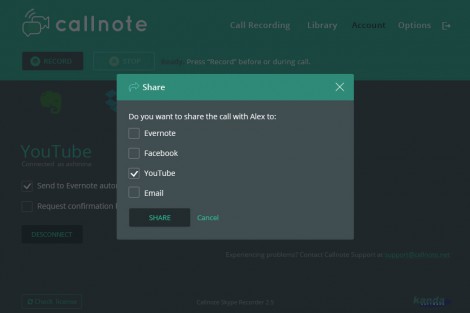
Share Call Records
on Facebook, Youtube or via Email in just a couple of clicks. -
Easily save videos
to Evernote, Dropbox, Google Drive or OneDrive.
Features
Multilingual Support
English, Spanish, German, Russian, French, and Japanese.
Video and Audio library management
Save participant names, call time and duration, add notes to your recordings
Easy sharing
All your conversations are stored safely on your PC. Feel like sharing? Share video records via Youtube, Dropbox, Evernote, Facebook, Google Drive, OneDrive or email.
Recording
Record up to 8 participants simultaneously. Record up to 30 Free calls per month. Check Callnote Pro for unlimited number of video recordings per month.
Installation Instructions
- Download Callnote Premium.
- Register with a valid email and install the app. It is absolutely FREE!
- For further information check the FAQ page.